← Business Apps · The Trades
T1 PI PAINTING ASSISTANT
Measure the rooms, price the paint, win the job, bill the work.



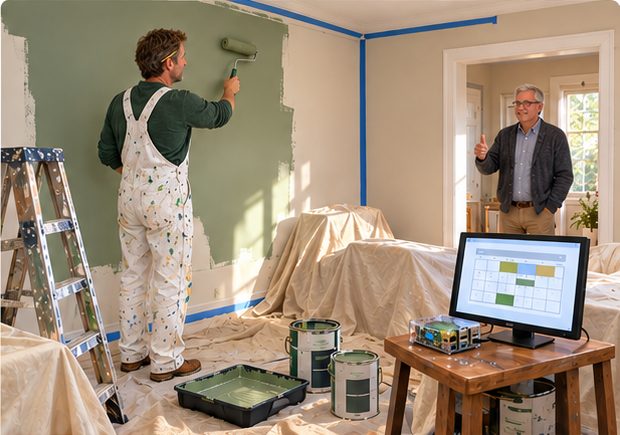
A painting contractor's whole business, not just the estimate. Build the takeoff room by room, priced from your own materials catalogue by the gallon — interior, exterior, primer, trim and specialty. An accepted estimate becomes a job that carries its own costs. Order the paint on a purchase order, receive it against that order, issue it to the job, and see what is still on the shelf. Clock the crew against the job and the site, then read hours by job, by site and by department with what was bid against what it has cost so far. Invoice from the work, enter the cheque in the check register, and watch who owes what until it clears — on real double-entry books that also give you where the money goes and a proforma tax report.
Inside: Estimating · Room takeoff · Materials catalogue · New job · Contract costs (bid vs actual) · Purchase orders · Receiving · Issue to job · Stock on hand · Invoices · Customer statements · Who owes what · Where the money goes · Tax report · Time clock · Hours by job, site and department · Check register · Record maintenance (customers, job sites, suppliers, materials) · Mailing labels · Scheduling · full double-entry accounting.
SD card only $395 · Turnkey (Pi 5 included) $495
BUSINESS APPS
The three apps on the front page are for a person. These are for a business.
Each runs on a Raspberry Pi you own — no cloud, no subscription, no seat licences, no company holding your customer list. And every one of them keeps real books underneath: estimates that become jobs, jobs that become invoices, a report of who owes you what, and a statement you can put in an envelope.
They share a spine, so they behave the same way. What changes is the work: a roofer measures squares, a salon books chairs, an association bills lots.
Don't see your trade? They are built from the same parts. Ask.
THE TRADES
T1 PI PAINTING ASSISTANT
back to the index · see a painter use it
The whole business of a painting contractor, not just the estimate. Walk the job and build the takeoff room by room, priced from your own materials catalogue by the gallon — interior, exterior, primer, trim and specialty. Present it, and an accepted estimate becomes a job that carries its own costs. Order the paint on a purchase order, receive it against that order, issue it to the job, and see what is still on the shelf. Clock the crew against the job and the site, then read hours by job, by site and by department with what was bid against what it has cost so far. Invoice from the work, enter the cheque in the check register, and watch who owes what until it clears — on real double-entry books that also give you where the money goes and a proforma tax report. Customers, job sites, suppliers and materials all live in one record file, with mailing labels, notes, scheduling and email beside them.
Inside: Estimating · Room takeoff · Materials catalogue · New job · Contract costs (bid vs actual) · Purchase orders · Receiving · Issue to job · Stock on hand · Invoices · Who owes what · Where the money goes · Tax report · Time clock · Hours by job, site and department · Check register · Record maintenance (customers, job sites, suppliers, materials) · Mailing labels · Scheduling · full double-entry accounting.
SD card only $395 · Turnkey (Pi 5 included) $495
T2 PI ROOFING ASSISTANT
The whole business of a roofer, not just the estimate. Measure the roof the way a roofer measures it: section by section, footprint times pitch, so it comes out in squares, not floor area. Say how many layers are up there and how cut-up the roof is, add ridge, hip, valley, eave and rake by the linear foot with the boots, the vent and the decking, and it prices materials and labour with tear-off, disposal, steep pitch and waste already inside the number. Order the shingles on a purchase order, receive them against that order, issue them to the job, and see what is still on the shelf. Bill from your own roofing catalogue, print the customer's statement, watch who owes what until it clears, and enter the cheque in the check register — real double-entry books that also give you where the money goes and a proforma tax report. Clock the crew against the contract and the site, then read bid against actual and hours by job, by site and by department. Customers, job sites, suppliers and materials all live in one record file, with mailing labels, notes, scheduling and email beside them.
Inside: Roof takeoff (squares, pitch, layers, tear-off) · Edges and penetrations by the linear foot · New job (estimate, service call, repair) · Materials catalogue · Purchase orders · Receiving · Issue to job · Stock on hand · Invoices · Customer statements · Who owes what · Where the money goes · Tax report · Discounts given · Time clock · Contract costs (bid vs actual) · Hours by job, site and department · Check register · Record maintenance (customers, job sites, suppliers, materials) · Mailing labels · Scheduling · full double-entry accounting.
SD card only $395 · Turnkey (Pi 5 included) $495
IN DEVELOPMENT — ask to be told when it is ready
T3 PI ELECTRICAL ASSISTANT
Estimates, jobs, material and money for an electrical contractor. Price the work from your own materials list, turn the approved estimate into a job, buy what it needs, and invoice what you did. Job costing shows hours by job, by site and by department, so you learn which work actually pays.
Inside: Estimating · Contract costs · Materials · Purchasing · Receiving · Stock on hand · Invoicing · Who owes what · Customer statements · Hours by job.
SD card only $395 · Turnkey (Pi 5 included) $495
IN DEVELOPMENT — ask to be told when it is ready
T4 PI PLUMBING ASSISTANT
The same, for a plumbing contractor. Service calls and contract work, estimated and invoiced from one place, with the parts you carry priced the way you buy them.
Inside: Estimating · Contract costs · Materials · Purchasing · Receiving · Stock on hand · Invoicing · Who owes what · Customer statements · Hours by job.
SD card only $395 · Turnkey (Pi 5 included) $495
IN DEVELOPMENT — ask to be told when it is ready
T5 PI GENERAL CONTRACTOR ASSISTANT
The contractor's hub, where subs and trades come together. Construction estimates built by trade, contract costs tracked against them, and a subcontractor hub that keeps who-is-doing-what in one place. Time clock and hours by job, site and department, because on a general's work the labour is the number that moves.
Inside: Construction estimates · Trades · Contract costs · Subcontractors · Tasks · Time clock · Hours by job / site / department · Purchasing · Customer statements · full double-entry accounting.
SD card only $395 · Turnkey (Pi 5 included) $495
IN DEVELOPMENT — ask to be told when it is ready
T6 PI ESTIMATOR ASSISTANT
The estimate itself, done properly, for a business that bids far more than it bills. Classify the job — estimate, service call or repair — then walk it and build the takeoff. Interior goes room by room: width, length, ceiling height, doors, windows, sash and baseboard feet, with the paint and its price entered on the line; exterior takes its own measurements. Your rate card holds the labour figures behind all of it, so one edit re-prices every room. Compute, and see materials, labour and the total separately before the customer does. Print the estimate — in English or Spanish, on the same screen and the same press — mark it accepted, and print the invoice off the accepted work. Money in and money out goes in one register against your own accounts, with where the money went and a proforma tax report. Buy materials on a purchase order. Customers and job addresses live in the record file with notes, scheduling and email beside them, and the whole file backs up to a flash drive.
Inside: New estimate (estimate / service call / repair) · Interior room takeoff · Exterior takeoff · Rate card · Materials and labour computed separately · Quote builder (materials · labour · travel, margin, PDF) · Estimate and invoice printed in English or Spanish · Mark accepted · Purchase orders · Money in and out register · Where the money goes · Tax report · Record maintenance (customers, job addresses, items) · Notes on any record · Passwords · Scheduling · Backup to flash drive.
SD card only $395 · Turnkey (Pi 5 included) $495
IN DEVELOPMENT — ask to be told when it is ready
SERVICE BUSINESSES
S1 PI BUSINESS ASSISTANT
The whole back office of a small business — and the engine every other business app here is built on. Price the work in the estimate builder, mark it accepted, and it becomes a job that carries its own costs. Buy what the job needs on a purchase order, receive it against that order, issue it out of stock, and see what is still on the shelf. Clock your people against the job and the site, then read what was bid against what it has cost and hours by job, by site and by department. Invoice from the work, enter the receipt when the money comes in, pay the bills, run the payroll, and watch who owes what until it clears — on a real double-entry ledger with your own chart of accounts, a bank register, where the money goes and a proforma tax report. Customers, vendors, employees and materials live in one record file, with the photograph and the notes attached to the record. Each department prints what it needs — statements, letters, envelopes, labels, business cards, shipping labels and the packing slip.
Inside: Estimate builder · New job from an accepted estimate · Contract costs (bid vs actual) · Purchase orders · Receiving · Issue / use · Stock on hand · Invoices · Pending invoices · Receipts · Pay bills · Payroll · Who owes what · Where the money goes · Tax report · Discounts given · Customer statements · Chart of accounts · Bank register · Time clock · Hours by job, site and department · Record maintenance (customers, vendors, employees, materials) · Record photo · Notes on the record · Shipping labels and packing slip · Letters, envelopes, labels and business cards · Broadcast · User access · Scheduling · full double-entry accounting.
SD card only $395 · Turnkey (Pi 5 included) $495
S2 PI CHEF'S ASSISTANT
A senior residence's whole kitchen, from the recipe to the tray. Build the dish, set its meal type, add ingredients from your own catalogue, and the recipe costs itself out per serving. Plan the rotation in the menu planner, schedule a dish onto the days you will offer it, and the daily menu builds itself from the cycle — publish it ad hoc when the day changes, and check which resident units have had it. Residents' meal orders come back against that menu, so you cook to a count instead of a guess. Order the ingredients on a purchase order built from a recipe and the number of meals you expect, pick the supplier, and mark it received. Clock the kitchen staff and read the hours by department. Behind it is the same ledger the Business Assistant keeps — a bank register you post against your own accounts, where the money goes and a proforma tax report — with ingredients, suppliers and the food catalogue in one record file.
Inside: Recipes with costed ingredients · Cost per serving · Menu planner (the rotation) · Daily menu from the cycle · Publish menu · Resident unit distribution · Meal orders · Meal schedule with day overrides · Purchase orders · PO from a recipe and a meal count · Suppliers · Ingredient catalogue · Time clock · Hours by department · Bank register · Accounts · Where the money goes · Tax report · Record maintenance · Mailing labels · Scheduling · double-entry accounting.
SD card only $395 · Turnkey (Pi 5 included) $495
IN DEVELOPMENT — ask to be told when it is ready
S3 PI NAIL & SALON ASSISTANT
A salon's whole day, on one loop — book, serve, check out, get paid. Put your services on the menu with a price, a length in minutes and the commission the tech earns on them. Today's Book holds the day's appointments and walk-ins; pick a client, a tech and a service and the length comes off the menu, then mark them Arrived, Done or No-Show as the day moves. At the desk, start a ticket, add each service to the tech who performed it, type in any retail the client takes home, add the tip, pick cash or card and take the payment. Every line carries its own commission, so the Day Sheet at closing shows each provider's services, sales, commission, tips and payout for that date. Client cards hold the phone, the notes and the formula — the thing a client actually comes back for — with the last visit beside it. Staff carry their role, their commission rate and whether they are still on the floor.
Inside: Today's Book (appointments and walk-ins) · Arrived / Done / No-Show · Service menu with price, minutes and commission · Check out · Tickets, resumed or new · Retail and tips · Cash, card or gift card · Per-line commission · Day sheet (sales, commission, tips and payout per provider) · Client cards with formula, notes and last visit · Staff and commission rates.
SD card only $395 · Turnkey (Pi 5 included) $495
IN DEVELOPMENT — ask to be told when it is ready
S4 PI CONSULTING ASSISTANT
A practice that sells hours. Engagements from first contact to final invoice: client records, the matter itself, time billed against it, expenses, deadlines and the documents that belong to each engagement. Bill from recorded time rather than reconstructed memory.
Inside: Client management · Case management · Matter detail · Time billing · Expenses · Deadline tracker · Document management · Customer statements · accounting.
SD card only $395 · Turnkey (Pi 5 included) $495
IN DEVELOPMENT — ask to be told when it is ready
S5 PI PARALEGAL ASSISTANT
The whole case file of a law office, not just the calendar. Open a matter with its case type, its client, and the attorney and paralegal who carry it — then work it from the matter's own page, which holds the parties, the events, the documents, the time, the notes and the tasks. Deadlines run across every matter with a priority and a status, soonest first. Discovery is logged item by item — direction, type, served, due, responded — with a running count of what is pending, overdue and complete, and the privilege log beside it. Trial preparation is exhibits marked admitted, pending or rejected, witnesses with contact confirmed and subpoena served, and a trial notebook built from both. Time goes down against the matter at its hours and rate, billable or not, and totals. Email a whole case record out as a PDF to any contact in the People book. And because a legal file is not something everyone in the office should open, USER ACCESS gives each person an alias, a PIN, a title and a practice area, says what that department may open, and shows an attorney only their own matters.
Inside: Cases · Matter detail (parties · events · documents · time · notes · tasks) · Clients · Deadlines · Document register · Discovery · Privilege log · Trial prep (exhibits · witnesses · trial notebook) · Time register · Email a case record as PDF · Money in and out · Where the money goes · Tax report · Record maintenance · Passwords · User access (users, PINs, titles, practice areas, permissions) · Per-attorney matter scoping · Notes on any record · Scheduling.
SD card only $395 · Turnkey (Pi 5 included) $495
PROPERTY & CARE
P1 PI HOA ASSISTANT
The whole back office of a self-managed association, not just the dues. Every lot is a place on the register carrying its owner, and the clubhouse, the pool and the streets are places too, so a work order can name one. Adopt an assessment plan — what it charges, how often, how it splits between operating and reserve — then raise it against every lot in one dated run the database will not let you run twice. Record the payment, its method and its reference, read the lot's ledger, and print the owner's statement. The board enters its own grace days and late-fee figures; with nothing entered, no late fee is ever calculated. Budget sets the adopted figures beside what happened, with the surplus or deficit and the fund position, and the asset list carries the reserve outlook. Write an RFP with a real scope, issue it, record the proposals, award the work — then the work order, and the vendor whose licence, coverage and expiring documents you track. Meetings, ballots with votes and a tally, ARC requests with the committee's reviews, and violations with their escalation trail finish it.
Inside: Lots & owners · Owner directory · Board & committees · Assessment plans (operating / reserve split) · Billing run · Charges & payments · Assessment ledger · Owner statements · Who owes what · The board's own late-fee rule · Budget beside actual · Fund position · Assets & reserve outlook · RFPs & proposals · Work orders & notes · Vendors (documents, history, expiring) · ARC requests & reviews · Violations & escalations · Meetings & agendas · Ballots, votes & tally · Board attention list · Governing documents · Records requests · Pay bills · Envelopes & labels · Scheduling. Your state and your CC&Rs set every date, notice period and figure — the board enters its own.
SD card only $395 · Turnkey (Pi 5 included) $495
IN DEVELOPMENT — ask to be told when it is ready
P2 PI PROPERTY MANAGEMENT ASSISTANT
The whole business of a property manager, not just the rent roll. Every property carries its owner and its management terms; units sit under it, and a lease holds the tenants, the term, the rent, the due day, the deposit, the grace days and the late fee. RENT ROLL shows what is leased, what is vacant and what is ending. Raise the month in one run — a part month prorated by the day — take the payments, watch each one clear the oldest charge first, add the late fee after grace, and print the tenant's statement. Deposits are held, applied to unpaid rent, deducted for damage or cleaning and credited to the owner, or refunded with a move-out statement. Then RUN THE MONTH: rent collected goes into each owner's ledger, the management fee comes off at that property's terms, expenses and payouts follow, and the owner statement prints. TRUST CHECK sets the bank statement against the money held for owners, the deposits held, the rent not yet run and the fees still in the account, and says what the difference is. Work orders and insured vendors sit beside all of it, on real double-entry books.
Inside: Rent roll · Leases & tenants · Units · Property file · Owners & parties · Rent charges (proration, late fees) · Payments applied oldest first · Tenant statements · Security deposits · Move-out statements · Management agreements · Owner ledgers · Owner statements · Payouts · Trust check · Work orders · Vendors with insurance expiry · Documents · Rental books · full double-entry accounting.
SD card only $395 · Turnkey (Pi 5 included) $495
IN DEVELOPMENT — ask to be told when it is ready
P3 PI CARE FACILITY ASSISTANT
For an adult foster home, where the documentation is the licence. Caregivers clock in and out against a PIN'd duty log, medications are given and timestamped, and adherence builds into a record you can print for a surveyor. Alerts text a caregiver when a dose is missed — and a failure report tells you when an alert itself did not send, which is the part that matters.
Inside: Caregiver duty log · Caregivers · Medications · Adherence history · Phone alerts · Alert failure report · Kitchen & today's menu orders · Scheduler · Administration · Finance · accounting.
SD card only $395 · Turnkey (Pi 5 included) $495
IN DEVELOPMENT — ask to be told when it is ready
Own it · pay once · no cloud · private. Built in Bend, Oregon. Veteran owned.